Knowing the correct sequential product development steps in the right order prevents the single most expensive mistake hardware creators and physical product entrepreneurs consistently make — investing thousands of dollars in CAD modeling, prototyping, or tooling before validating that anyone wants to buy what they are building. The sequence matters as much as the execution quality at each step, because skipping validation before engineering, or engineering before manufacturing research, creates rework loops that consume 40 to 60 percent of most first-time product budgets on corrections that proper sequencing would have prevented entirely.
Step 1 — Validate the Product Concept Before Spending on Engineering
Show your concept to 20 potential customers before spending a single dollar on CAD modeling. Draw a rough sketch, describe the product’s core benefit in one sentence, and ask directly: “Would you pay $X for this?” The responses — especially the specific objections and feature requests — are more valuable than any amount of engineering analysis because they reveal whether the problem you are solving is real, whether your proposed solution is compelling, and whether the price point you need for profitability matches what buyers are willing to pay. This validation step costs zero dollars, takes one to two weeks of casual conversations with people in your target market — at coffee shops, industry meetups, online communities, and through direct outreach to potential early adopters who match your customer profile, and determines whether the remaining product development steps are worth pursuing at all.
If validation confirms market interest, document the three to five most frequently requested features, the price sensitivity range, and the specific use cases customers described. These become the engineering requirements that guide every subsequent design decision — not your own assumptions about what users want, but actual stated preferences from the people who will ultimately decide whether your product succeeds or fails in the marketplace.

Step 2 — Create a Dimensioned Sketch with Key Requirements
Translate your validated concept into a physical specification. Draw front, side, and top views on graph paper with critical dimensions in millimeters. List materials, target weight, operating temperature range, and any mating components the product must interface with (phone models, standard shelves, specific bolt patterns). This sketch becomes the engineering brief your CAD designer works from — the clearer and more complete it is, the fewer revision cycles you will need and the lower your total project cost will be. Investing 30 minutes in a thorough and detailed sketch consistently saves $100 to $300 in avoided design revisions, clarification emails, and assumption-driven rework cycles across the full project timeline from initial concept through production file delivery.
Product Development Steps: Professional CAD Modeling
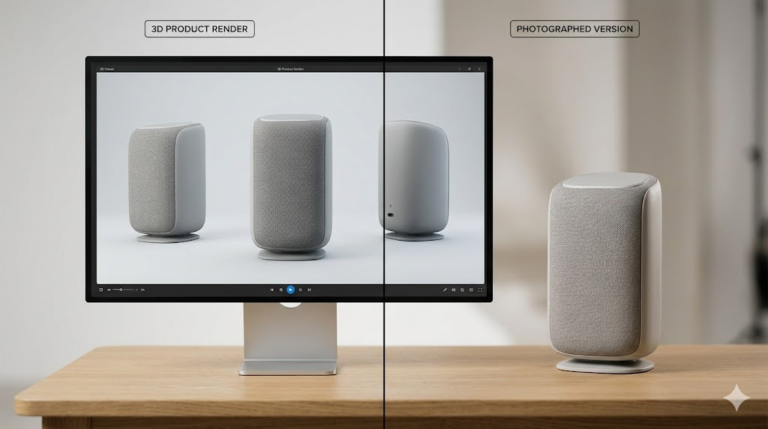
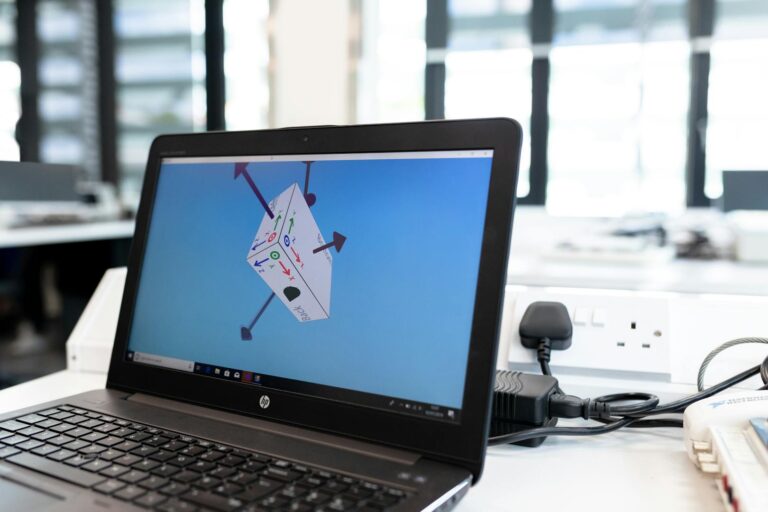
A professional SolidWorks model transforms your sketch into precise, manufacturing-ready parametric geometry. The model captures every dimension as an editable parameter, every tolerance as a documented specification, and every design decision as a named feature in the model’s logical tree structure. Deliverables include native SLDPRT files for future editing, STEP exports for manufacturer communication, STL for 3D printing, and dimensioned technical drawings for quality inspection. This step costs $34 to $174 depending on complexity and delivers within 24 to 48 hours from professional studios like minicad.io.
Step 4 — 3D Print a Prototype and Test It Physically
Print the part in PETG or ABS on an FDM printer (material cost $5 to $20, print time 4 to 12 hours). Hold it. Use it. Assemble it with mating components. Show it to the same potential customers from step one and observe their raw, unfiltered reactions carefully — pay attention to what they actually do with the prototype, not what they politely say about it afterward. Do they reach for it eagerly? Do they immediately try the mechanism? Do they set it down after three seconds? Physical prototype feedback reveals design truths that no CAD model or render can communicate. The Protolabs design tip library provides instant quoting for professional prototype printing if you lack your own printer hardware.

Step 5 — Iterate the Design Based on Test Results
Revision is not failure — it is the mechanism that transforms a good concept into a great product. Modify the SolidWorks model based on prototype testing feedback: increase grip diameter by 4 mm (users said it felt thin), add a 2 mm fillet to the sharp edge (users complained it was uncomfortable), widen the mounting slot by 1.5 mm (the bolt was too tight to insert easily). Parametric modeling makes each change a 30-second dimension edit rather than a multi-hour model rebuild. Reprint the modified part overnight, retest the next day, and repeat until the prototype passes every functional and ergonomic criterion from your requirements list.
Step 6 — Prepare Production Files and Source Manufacturing
When the prototype is validated, prepare production documentation: STEP files formatted for your manufacturer’s CAM system, technical drawings with GD&T fundamentals reference callouts for quality inspection, material specifications referencing standard designations (not generic descriptions), and packaging CAD models verified against shipping tier dimensions. Request quotes from at least three manufacturers, providing the identical file package to each for accurate comparison. The Xometry manufacturing resources provides instant automated quoting across CNC, injection molding, and sheet metal processes — useful for validating that your geometry is producible at your target per-unit cost before committing to tooling purchases.

Explore real examples of this work in our portfolio — see our 2D technical drawing for manufacturing and custom NFC keychain multi-color print projects. Need professional engineering support? Our technical drawing service and product rendering service deliver production-ready files in 24 hours.
Start Your Product Development with Professional Support
Following these product development steps in sequence — validate, sketch, model, prototype, iterate, produce — compresses timeline, minimizes wasted budget, and produces products that customers actually want to buy. With 7,000+ projects delivered and 24-hour turnaround on CAD modeling, minicad.io supports you at every engineering step from sketch to production-ready files. Get a free quote and take the next concrete engineering step toward your product launch today. The product development steps outlined in this guide are not theoretical — they are the exact sequence our clients follow across 7,000+ delivered projects, refined through years of observing which approaches produce successful products and which produce expensive engineering exercises that never reach a paying customer.