Every physical product that exists today — every tool, device, container, accessory, and machine — started as an idea in someone’s mind before becoming a precise digital model, then a prototype, then a manufactured reality. The process of how you convert idea to 3d model is the single most consequential engineering step in product development because it translates subjective intention into objective geometry — replacing “I want it to be about this big and kind of curved” with precise millimeter dimensions, exact fillet radii, and specific tolerance specifications that a manufacturer can produce without guessing what you meant. This comprehensive guide covers the complete professional workflow from raw concept to a finished SolidWorks model, including what information you need to prepare, what the modeling process looks like from the designer’s perspective, and how to evaluate whether the resulting model accurately accurately and completely captures your original creative and functional vision.
Where the Process of Converting an Idea to a 3D Model Begins
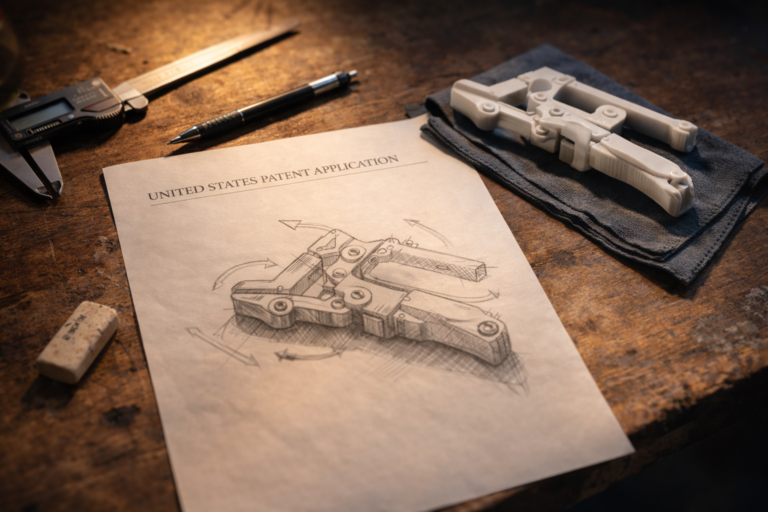
The starting point varies enormously between clients, and experienced designers adapt their intake process accordingly. Some clients arrive with dimensioned engineering sketches on graph paper showing three orthographic views with every measurement annotated — these projects move directly into SolidWorks modeling with minimal clarification. Other clients arrive with a verbal description and a hand gesture indicating approximate size — these projects require a structured concept extraction session before any modeling can begin. Most fall somewhere in between: a rough sketch with some dimensions, a photograph of a similar product with annotations showing desired changes, or a physical mockup built from cardboard, foam, and tape that captures the intended form factor.
Regardless of starting fidelity, the designer’s first task is identifying what information is present, what is missing, and what is ambiguous. An idea to cad model conversion requires four categories of information to proceed without assumptions: geometric intent (what shape is the product), dimensional requirements (how big is every feature), functional constraints (how does the product interact with its environment and other components), and manufacturing process (how will the physical part be produced). Missing information in any category creates assumptions, and assumptions create revision cycles. The more completely you can answer these four questions before modeling begins, the faster and cheaper your project will be.
Our intake process at minicad.io is designed to extract these four information categories efficiently. The project submission form asks for sketches or reference images (geometric intent), key dimensions in millimeters (dimensional requirements), a description of how the product is used and what it connects to (functional constraints), and your target manufacturing method (process constraints). Clients who complete all four sections receive their first delivery faster because the modeling begins immediately without a clarification email cycle that typically adds 24 to 48 hours of calendar delay before any SolidWorks work starts.

How to Prepare a Sketch That Accelerates the Modeling Process
You do not need drafting skills, CAD experience, or artistic talent to prepare a sketch that a professional designer can work from efficiently. You need a pen, paper (graph paper is ideal), and 30 minutes of focused thinking about your product’s physical geometry. Draw the product from three directions — front, side, and top — keeping each view roughly proportional even if the lines are not perfectly straight. Add dimensions in millimeters for every feature that matters: overall length, width, and height; hole diameters and center-to-center distances; wall thickness if the product is hollow; fillet radii if you want rounded corners rather than sharp edges.
Circle or highlight the features that are critical — the ones where a 1 mm error would cause a functional problem. Mark the features that are flexible — the ones where the designer can use engineering judgment to optimize the geometry for manufacturing without affecting function. This critical-versus-flexible distinction saves enormous time during the concept to 3d modeling phase because it tells the designer where to invest precision effort and where to apply standard engineering defaults that produce good results without requiring client approval for every radius, chamfer, and draft angle decision.
If your product mates with an existing component — it clips onto a specific phone model, it fits inside a standard electrical box, it attaches to a particular bicycle handlebar diameter — measure that mating component and include those dimensions in your sketch. Mating interface dimensions are the most consequential numbers in your entire brief because errors here make the product physically incompatible with its intended environment. A bracket that is 2 mm too narrow for its rail, a case that is 1 mm too shallow for its PCB, or a mount that has holes 3 mm off from the target bolt pattern are all functional failures that no amount of surface finish quality, cosmetic design excellence, or marketing positioning can compensate for — the product simply does not work with the component it was designed to interface with, and the entire model must be revised before it has any practical value.

The Concept Extraction Session — What Designers Ask and Why
When your sketch or description leaves questions unanswered, a professional designer conducts a concept extraction session — a structured 15 to 30 minute conversation (typically via WhatsApp, email, or video call) that resolves ambiguities before modeling begins. The questions may seem obvious or even annoying, but every one prevents a specific category of revision cycle that experienced designers have encountered hundreds of times across thousands of projects.
Typical concept extraction questions include: what material will this be made from (determines wall thickness minimums, fillet radius requirements, and tolerance compensations)? Will this be 3D printed, CNC machined, or injection molded (determines draft angles, internal corner radii, and surface finish expectations)? Does this part mate with anything, and if so what are the mating dimensions (determines critical tolerances)? Is this a one-off prototype or a production part (determines the level of manufacturing optimization to embed in the model)? How will the user hold, operate, and interact with this product (determines ergonomic dimensions and grip geometry)? What loads will this part experience in service (determines wall thickness, rib placement, and material selection)?
Clients who view these questions as productive collaboration rather than bureaucratic delay consistently receive better first deliveries and require fewer revision cycles. The 15 minutes invested in the concept extraction session typically saves 2 to 4 hours of revision time and 3 to 7 days of back-and-forth communication that occurs when the designer makes assumptions about unanswered questions and the client discovers the assumptions were wrong after reviewing the completed model.
How We Convert Idea to 3D Model in SolidWorks
Once your concept is fully defined — through your sketch, the concept extraction session, and any reference materials you provide — the SolidWorks modeling workflow follows a structured sequence that produces clean, parametric, manufacturing-ready geometry. Phase one: base sketch creation. The designer establishes the primary profile of your product as a fully constrained 2D sketch in SolidWorks, with every line, arc, and dimension locked by geometric relations and numerical values. No blue (underdefined) geometry exists at this stage — the sketch is mathematically deterministic, meaning it will behave predictably when any dimension is modified later.
Phase two: primary feature construction. The base sketch is extruded, revolved, swept, or lofted into three-dimensional solid geometry that establishes the core volumetric shape of your product. Phase three: secondary feature development. Bosses, ribs, pockets, holes, patterns, chamfers, and fillets are added in logical sequence, each named descriptively in the feature tree (Boss-Handle, Cut-USB-Port, Pattern-Ventilation-Holes, Fillet-Grip-Edge-R3). Phase four: manufacturing preparation. Draft angles for injection molding, shell operations for uniform wall thickness, and process-specific tolerance compensations are applied based on your stated manufacturing method. Phase five: verification and export. The completed model is dimensionally verified against your original sketch, exported to STEP (for manufacturers), STL (for 3D printing), and documented with a 2D technical drawing containing all critical dimensions and tolerances.

The Revision Process — How Your Feedback Shapes the Final Model
Two revision rounds are included as standard in every turn concept into model project at our studio. Each round addresses all accumulated feedback in a single comprehensive design pass. The most effective revision feedback uses annotated screenshots — a screen capture of the 3D model with red markups indicating what needs to change, accompanied by specific numerical values for dimensional modifications. “Move this hole 5 mm to the left” is actionable in seconds. “The hole seems like it might be in the wrong place” requires a clarification exchange that adds a day before the revision can proceed.
Parametric modeling makes revisions fast when the original model is properly structured. Changing a dimension — wall thickness from 2.0 mm to 2.5 mm, hole diameter from 6 mm to 8 mm, overall length from 120 mm to 135 mm — takes seconds because every dependent feature updates automatically through the parametric relationships defined in the feature tree. Adding new geometry — a mounting boss that was not in the original concept, an additional ventilation slot, a cable routing channel — takes minutes to hours depending on complexity. Structural changes — converting a snap-fit closure to a screw-together design, changing from a cylindrical to a rectangular cross-section — may require partial model reconstruction that is quoted separately if it falls outside the included revision scope.
What You Receive — The Complete Deliverable Package
Every convert idea to 3d model project at our studio delivers a complete file package: native SolidWorks part file (SLDPRT) with fully defined parametric sketches, named features, and clean feature tree structure. STEP export for vendor-neutral manufacturer communication. STL export at appropriate mesh resolution for your target 3D printer (with chord deviation and angle tolerance values documented). 2D technical drawing (PDF and DWG) with critical dimensions, tolerances, and GD&T callouts where functional requirements demand geometric control. Print orientation notes and recommended slicer settings if the project involves 3D printing. And a revision log documenting every change made during the project, with rationale for any design decisions that deviated from the original concept based on manufacturing or functional constraints.
This file package gives you everything needed to prototype (STL for printing), manufacture (STEP and drawings for production), modify (native SolidWorks for future revisions), and document (revision log for project records and patent reference). You own every file permanently with no licensing restrictions, usage limitations, or ongoing fees. The SolidWorks official documentation provides reference documentation on SolidWorks file formats and compatibility that may be useful when sharing files with manufacturing partners using different SolidWorks versions.

Common Mistakes When Converting Ideas to 3D Models
The most expensive mistake is starting CAD modeling before validating the core concept. If your product’s value proposition depends on a specific mechanism working (a latch that engages with one hand, a hinge that holds at any angle, a clip that grips a specific diameter), validate that mechanism with a rough physical mockup before investing in detailed CAD modeling of the complete product. A $5 cardboard-and-tape mockup that reveals a fundamental mechanism flaw saves $200 to $500 in CAD modeling that would have been built on a flawed foundation.
The second most costly mistake is providing dimensions in mixed unit systems without labeling. One sketch face shows inches (from an American reference product), another shows millimeters (from a metric component datasheet), and the title block says nothing about which system applies where. Always specify millimeters consistently — it is the universal standard in 3D printing, CNC machining, and international manufacturing. If your reference dimensions come from inch-based sources, convert them before including them in your sketch and note the original inch values in parentheses for verification.
The third common mistake is omitting the manufacturing process specification. A model designed for FDM 3D printing has fundamentally different wall thickness minimums (1.2 mm), tolerance compensations (0.3 mm per side), and geometric constraints (45-degree overhang limit) than one designed for CNC machining (no wall minimum, plus or minus 0.05 mm tolerance, no overhang constraint) or injection molding (1.5 to 3 mm uniform walls, 1-degree draft minimum, no undercuts without side actions). Telling your designer how the part will be made is as important as telling them what shape it should be — and providing this information upfront eliminates the rework that occurs when an FDM-optimized model needs to be retrofitted for injection molding after a successful prototype validation proves market demand.
Timeline and Cost for Idea-to-Model Projects
Single-component products with clear sketches and complete dimensions: $34 to $69, delivered within 24 hours. Products requiring concept extraction and iterative geometry exploration: $69 to $174, delivered within 48 to 72 hours. Multi-component assemblies with 3 to 10 parts: $174 to $500, delivered within 3 to 5 business days. Complex products with mechanisms, electronics integration, and full production documentation: $500 to $1,500, delivered within 2 to 4 weeks. All prices include native SolidWorks files, STEP, STL, technical drawings, and two revision rounds. Rush delivery (under 12 hours for single-part projects) is available at 25 to 50 percent premium for time-critical deadlines.
For inventors and entrepreneurs working through the idea to prototype 3d pipeline for the first time, we offer a discovery consultation — a 30-minute call where we review your concept, identify the information needed to proceed, estimate the project scope and cost, and recommend the most efficient path from your current concept stage to a physical prototype in your hands. This consultation is free, carries no commitment, and typically saves first-time clients $100 to $300 in avoided revision cycles because it establishes clear expectations and complete information exchange before any billable work begins. The consultation also helps first-time clients calibrate their expectations about what professional CAD modeling involves, what information they need to prepare, and what realistic timelines look like for their specific project scope — preventing the frustration that occurs when unrealistic expectations meet engineering reality during the project rather than before it.
Explore real examples of this work in our portfolio — see our custom 3D printed storage container and 2D technical drawing for manufacturing projects. Need professional engineering support? Our product rendering service and outsource CAD design service deliver production-ready files in 24 hours.
Convert Your Idea to a Professional 3D Model Today
The gap between your idea and a physical product is smaller than you think. A clear sketch, a list of critical dimensions, and a professional SolidWorks engineer — that is everything needed to convert idea to 3d model and hold version one in your hands within days, not months. The democratization of professional CAD design through affordable online studios and the ubiquity of desktop 3D printers has compressed the idea-to-prototype timeline from the 6 to 12 months it required a decade ago to the 1 to 2 weeks it takes today — putting physical product validation within reach of individual inventors, bootstrapped startups, and side-project entrepreneurs who previously could not access professional engineering services at any price point their personal budgets could support. With 7,000+ projects delivered across 40+ countries, a 4.9-star rating from 4,470+ verified reviews, and 24-hour turnaround on most single-part designs, our engineering team at minicad.io delivers the precision, documentation, and manufacturing awareness your concept deserves. Get a free quote, upload your sketch, and take the first step from imagination to verified engineering reality — with professional documentation, manufacturing readiness, and revision flexibility built into every delivered file.