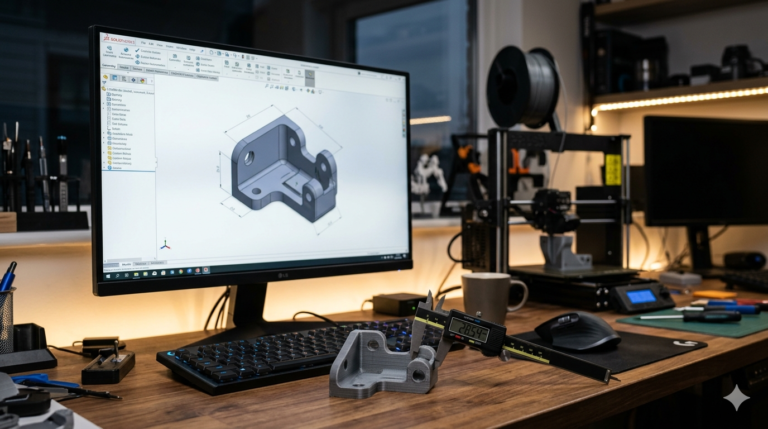
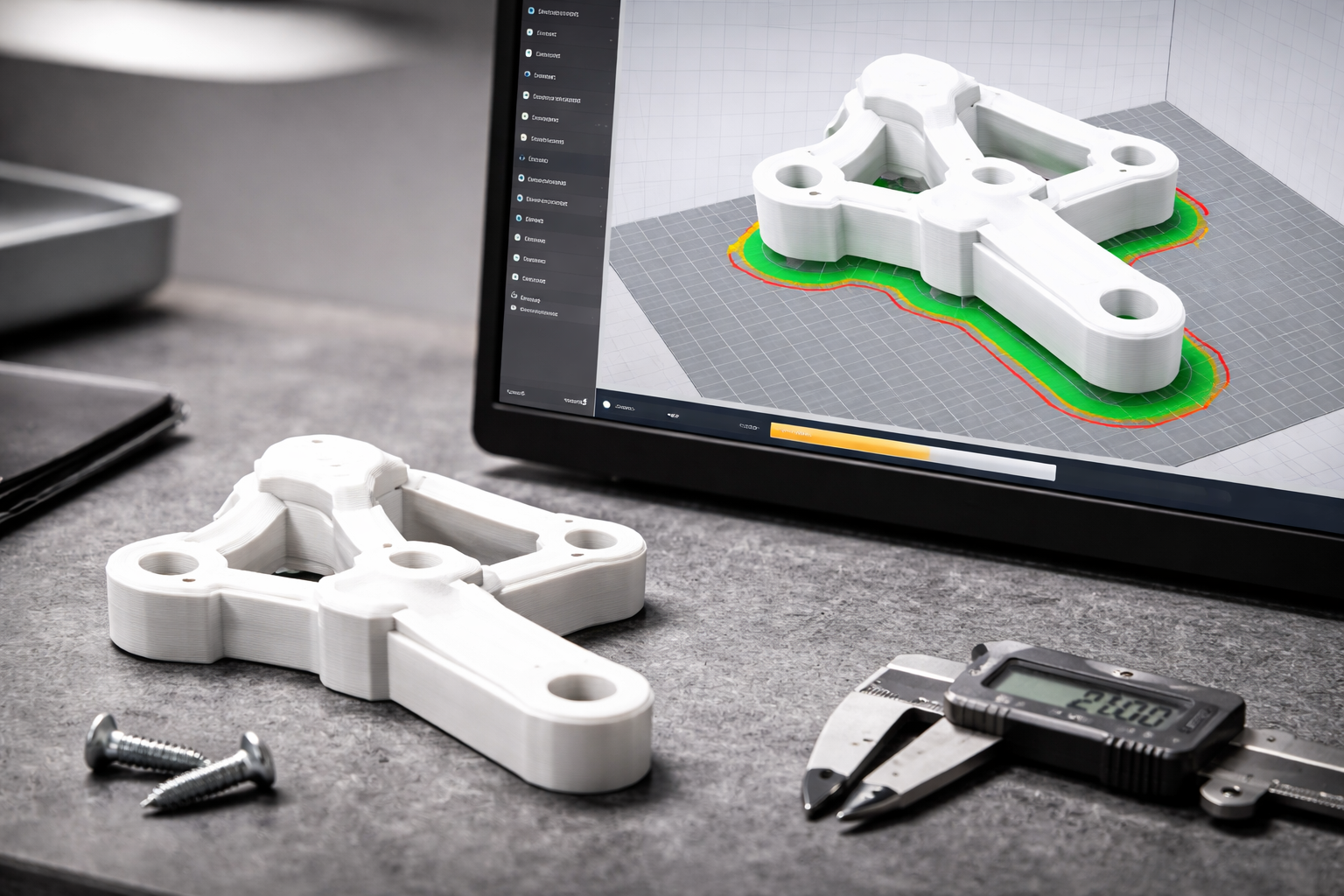
Getting a 3d model for printing that actually works on the first attempt — no failed prints, no warped or curled geometry, no mating surfaces that miss by half a millimeter — requires more than downloading an STL and clicking “slice.” It requires a model carefully built with the specific physical constraints of your printing process deeply embedded in every dimension, every wall, every overhang angle, and every tolerance compensation. This guide covers the proven approach our studio applies across thousands of delivered projects to ensure every printable 3d model reaches the build plate ready to produce a functional, dimensionally accurate part without rework or reprinting.
What Makes a 3D Model for Printing Actually Printable
A printable 3d model must satisfy three distinct but interconnected requirements simultaneously to guarantee a successful first-print outcome. First, geometric validity — the mesh must be watertight (no holes, no inverted normals, no non-manifold edges) so the slicer can correctly distinguish solid material regions from empty space. Second, process compatibility — every feature must be physically producible by the target printing technology at the configured layer height and nozzle diameter. Third, dimensional accuracy — tolerances must be compensated for the specific material’s shrinkage rate and the specific printer model’s empirically measured dimensional accuracy range under representative operating conditions, so the finished physical part measures correctly against nominal specifications without requiring post-print machining, manual filing, or shimming adjustment.
Most 3D models downloaded from community repositories satisfy only the first requirement — basic geometric validity — while ignoring process compatibility and dimensional accuracy entirely. A model designed for SLA resin printing at 0.025 mm layers may have 0.5 mm walls that print perfectly on a resin machine but collapse entirely on an FDM printer with a 0.4 mm nozzle. A model designed with zero tolerance compensation produces holes that are consistently 0.4 mm too small on every FDM print. These failures are predictable, preventable, and entirely avoidable when the model is built for the specific target process from the first SolidWorks sketch.

FDM-Specific Design Rules for Printable Models
For FDM printers with 0.4 mm nozzles printing at 0.2 mm layer height, the critical design parameters are: minimum wall thickness of 1.2 mm (three complete perimeters), minimum positive feature width of 0.8 mm (two perimeters), maximum unsupported overhang angle of 45 degrees from vertical, maximum bridge span of 50 mm with adequate part cooling, minimum hole diameter of 2.0 mm (smaller holes close during printing due to material flow), and minimum embossed text height of 1.5 mm at 0.6 mm minimum stroke width for legibility across the full character set including narrow characters like lowercase i, l, and the numeral 1. Every dimension below these thresholds produces unreliable results that sometimes succeed and sometimes fail depending on ambient temperature, filament batch consistency, and machine calibration state.
Tolerance compensation is equally critical for FDM. Add 0.4 mm to every nominal hole diameter to compensate for nozzle path contraction. Add 0.3 mm clearance per side for all mating surfaces — lids, shafts, snap-fit interfaces, and any geometry where two printed parts must fit together. Subtract 0.2 mm from press-fit hole diameters when using brass heat-set inserts. These compensations are based on empirical testing across thousands of prints on dozens of different FDM machines in our studio — not theoretical calculations from material data sheets that assume ideal conditions.
SLA and SLS Design Considerations
SLA resin printing resolves much finer geometry than FDM — 0.5 mm walls, 0.3 mm features, 0.5 mm text height — but introduces constraints that FDM does not have. Large flat surfaces facing the build plate create suction forces during the peel step that can crack thin walls or detach the part entirely. Hollow sections must include drainage holes (minimum 3 mm diameter) to prevent uncured liquid resin from being permanently trapped inside the finished part — a safety and quality concern that the slicer cannot solve if the CAD geometry is sealed. The Formlabs engineering blog publishes detailed SLA design guidelines by resin formulation.
SLS nylon requires no support structures because the surrounding powder provides complete self-support, enabling geometries impossible on any other accessible process — interlocking mechanisms printed as single assemblies, internal lattice structures, and complex internal channels. However, SLS dimensional accuracy is lower than FDM (plus or minus 0.3 mm typical), powder removal from internal cavities requires design-specific access ports, and the characteristic grainy surface texture may need post-processing for cosmetic applications. A 3d file for printer output via SLS needs wider tolerances and larger feature sizes than the same geometry optimized for FDM or SLA.
STL Mesh Quality and Export Settings
Export STL from SolidWorks using binary format with chord deviation set to 0.05 mm and angle tolerance at 5 degrees for standard mechanical parts. For parts with cosmetic curved surfaces, tighten chord deviation to 0.02 mm. Always verify the exported mesh in PrusaSlicer documentation or Cura before printing — look for non-manifold edge warnings (highlighted in red), inverted normal indicators, and thin-wall alerts where the slicer cannot generate valid toolpaths. Fix any issues in the SolidWorks source model rather than relying on slicer auto-repair, which patches mesh symptoms without fixing the parametric root cause.
For a print-ready model destined for service bureau printing, include a brief specification document alongside the STL file: target material, target layer height, required dimensional accuracy class, and any cosmetic surface requirements. Service bureaus process hundreds of orders daily and apply default settings unless the client specifies otherwise — defaults that may not match your requirements for wall strength, surface quality, or infill density. Explicit specifications prevent the most common service bureau printing complaints: “the part is too fragile” (insufficient infill), “the surface is rough” (inappropriate layer height), and “the dimensions are wrong” (no tolerance compensation applied).

Designing One Model for Multiple Printing Processes
Many projects start with FDM prototypes for quick functional testing and then transition to SLA for cosmetic samples or SLS for production batches. A well-designed 3d model for printing accommodates all three processes without geometry modifications by adhering to the most restrictive shared constraints — FDM wall thickness minimums, FDM tolerance compensations, and FDM overhang limits. When process-specific optimization is needed, we export process-specific STL variants from the same parametric SolidWorks source with tailored mesh resolution, tolerance compensation values, and orientation notes for each target technology.
This multi-process compatibility saves clients $100 to $300 per transition compared to commissioning separate designs for FDM functional testing and SLA cosmetic prototyping — a common and expensive workflow when working with designers who optimize exclusively for one printing technology without considering downstream process changes. The parametric source model remains unchanged; only the export settings and compensation values differ between process-specific STL deliveries.
Functional Testing Before Committing to Production
A printable 3d model that passes slicer verification is geometrically ready for the printer — but geometric readiness does not guarantee functional fitness. Before committing to production quantities or expensive manufacturing processes, test the printed part against its real-world requirements. For mechanical interfaces, verify fit with mating components using actual purchased hardware (screws, bearings, connectors) rather than relying solely on CAD interference checks that assume nominal dimensions without manufacturing variation. For load-bearing features, apply the expected service load plus a 50 percent safety factor and hold for 24 hours to check for creep deformation — FDM parts under sustained stress at elevated temperatures can deform gradually over time even below the material’s rated yield strength.
For sealed or weather-resistant enclosures, test water ingress by submerging the assembled print at the rated protection depth for the rated duration and checking for internal moisture using humidity indicator strips. For parts exposed to outdoor UV radiation, compare material samples left outdoors for 30 days against indoor control samples — PLA degrades rapidly under UV exposure, ASA resists UV for years without significant property loss, and PETG falls between the two extremes. These tests are cheap and fast compared to discovering a material limitation after shipping 500 units to customers. Our 3d printing model file deliveries include a test protocol recommendation document when the part application warrants functional validation beyond basic dimensional inspection.
Why Print Orientation Determines Part Performance
The same geometry printed in two different orientations produces two parts with vastly different mechanical properties, surface quality distributions, support requirements, and print times. A clip printed with the load direction aligned along the Z axis (across layer bonds) snaps at 20 percent of the force it withstands when printed with the load along the XY axis (along continuous extrusion paths). A housing printed with the cosmetic face oriented vertically shows visible layer lines, while the same face printed horizontally produces a smooth top surface with no layer stepping visible to the naked eye.
We include orientation-specific notes with every 3d printing model file delivery — the recommended build direction, the engineering rationale explaining why that orientation was chosen, the expected support volume and contact area, and one or two alternative orientations for clients who face build plate size constraints or need to minimize print duration at the cost of some mechanical performance. These notes transform a bare STL file into a complete print specification package that any printer operator at any experience level — from a hobbyist with a desktop Prusa to a service bureau running industrial Stratasys machines — can execute confidently without guessing about the designer’s intent or making support-placement and orientation decisions that may conflict with the part’s functional and mechanical performance requirements.
Orientation documentation also protects against the common scenario where a client sends an STL to a service bureau without orientation instructions and receives a part printed in whatever orientation the bureau operator chose for maximum packing efficiency on the build plate — an orientation that may optimize the bureau’s throughput but completely ignores the client’s mechanical strength and surface quality requirements. Explicit orientation notes transform the STL from a raw geometry file into a complete manufacturing instruction that any operator can execute correctly without engineering interpretation.
Explore real examples of this work in our portfolio — see our custom brackets and mounts in SolidWorks and custom PCB enclosure project box projects. Need professional engineering support? Our STL file design service and prototype design service deliver production-ready files in 24 hours.
Get a Print-Ready 3D Model in 24 Hours
A model that works on screen but fails on the build plate wastes filament, wastes time, and wastes the confidence your team has in the design. Every 3d model for printing we deliver at minicad.io is validated against the target process, compensated for material-specific tolerances, and documented with orientation and settings recommendations. With 7,000+ projects delivered, a 4.9-star rating from 4,470+ verified reviews, and 24-hour turnaround on most single-part designs, get a free quote and have your professionally validated print-ready model delivered by tomorrow.