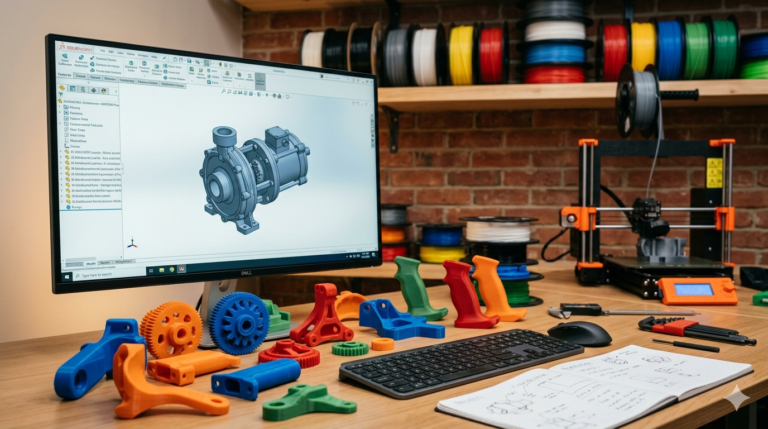
Every failed 3D print traces back to a violated design rule — a wall too thin for the nozzle to fill, an overhang too steep for the material to bridge, a tolerance too tight for the thermal shrinkage to accommodate. Understanding 3d printing design rules is not about memorizing numbers. It is about understanding the physical mechanics of layer-by-layer additive manufacturing well enough to design geometry that cooperates with the process rather than fighting it. This guide documents every critical rule our studio applies across 7,000+ delivered projects, organized by the failure mode each rule prevents, with specific numerical thresholds for FDM, SLA, and SLS processes that you can apply directly to your own designs immediately.
3D Printing Design Rules for Wall Thickness
The wall thickness rule exists because every printing process has a minimum resolvable geometry width below which material deposition becomes unreliable. For FDM with a standard 0.4 mm nozzle, the absolute minimum wall thickness is 0.8 mm (two perimeter passes), but reliable printing requires 1.2 mm (three perimeters) as the practical minimum. Walls between 0.8 and 1.2 mm sometimes print correctly and sometimes exhibit gaps, porosity, and delamination depending on print speed, ambient temperature, and filament moisture content — variability that makes sub-1.2 mm walls unsuitable for any part where consistency matters across multiple prints or production batches.
For structural parts that carry mechanical loads — brackets, housings, mounting plates, hinged lids, and snap-fit enclosures — 1.6 to 2.0 mm wall thickness provides the mechanical robustness needed to survive real-world handling without cracking at layer bonds. The strength increase from 1.2 mm to 2.0 mm walls is not linear — it represents roughly a 3x improvement in impact resistance because the additional perimeters create a thicker continuous shell that distributes impact energy across more layer bonds rather than concentrating it at the weakest single bond in a thin wall. This compound strength improvement makes the difference between a case that survives a desk-height drop test and one that shatters on impact, cracking along the weakest layer bond and exposing the internal components to damage.
SLA resin printing resolves walls down to 0.5 mm with clean surface quality, but walls below 1.0 mm flex under peel forces during printing and frequently crack during post-processing (washing, UV curing, and handling). For SLA parts that must survive real-world use rather than serving only as visual prototypes, 1.0 mm minimum wall thickness is the professional standard. SLS nylon powder printing requires a minimum of 0.7 mm walls due to powder grain size limitations and the thermal stresses that develop during the cooling phase after sintering. The Formlabs engineering blog publishes process-specific wall thickness data by material formulation that we reference for every project.

The 45-Degree Overhang Rule and When to Break It
Overhangs occur when a printed layer extends beyond the layer below it without solid material underneath for support. The universal baseline for FDM is 45 degrees from vertical — any surface steeper than 45 degrees needs either support material underneath or a design modification that brings the angle within self-supporting range. This rule exists because molten plastic deposited in mid-air sags under gravity before solidifying. At 45 degrees, the new layer overlaps roughly 50 percent of the previous layer width, providing enough bonded contact area to resist gravitational sag during the solidification window.
However, the 45-degree rule is a conservative simplification. PLA with aggressive part cooling (5015 blower fan at 100 percent) handles 60-degree overhangs on spans under 15 mm. PETG tolerates 55 degrees with good cooling. ABS is the most overhang-sensitive FDM material, requiring the full 45-degree rule plus an enclosed chamber to prevent cooling-induced warping from distorting overhang geometry before the next layer is deposited.
When designing geometry where overhangs are unavoidable — curved housings, tapered enclosures, dome shapes, and organic ergonomic surfaces — three design strategies eliminate or minimize support requirements. First, add 45-degree chamfers at the base of every overhang transition, converting a sudden vertical-to-horizontal step into a gradual angle change the printer can handle without supports. Second, split the geometry along a plane that eliminates the overhang entirely, printing two halves that assemble after printing with screws, snap-fits, or adhesive. Third, orient the part so the steepest overhang faces upward (becoming a standard top surface) rather than outward (where it requires support). We evaluate all three strategies for every project and recommend the approach that minimizes total production cost including both print time and post-processing labor.

Bridging Rules — How Far You Can Span Without Support
A bridge is a horizontal span between two vertically supported endpoints — the printer deposits filament across open space, relying on the material’s melt strength and rapid cooling to maintain a straight line before gravity causes sag. PLA bridges cleanly up to 50 mm with strong part cooling from a dual-sided fan duct. PETG bridges up to 35 mm. ABS, with its high printing temperature and slow cooling rate, bridges only 20 to 25 mm before noticeable sag creates rough bottom surfaces and dimensional inaccuracy.
These 3d printing design rules for bridging directly affect how you design internal features. A rectangular pocket with a flat ceiling wider than the bridge limit for your material will have a rough, sagging top surface. Solutions include replacing flat ceilings with arched profiles that print as self-supporting curved overhangs, splitting the pocket into two narrower sections separated by a supporting rib, or accepting supports on the ceiling surface when cosmetic quality on the interior is not critical. For parts where the bridge bottom surface is visible to the end user — display stands, architectural models, consumer product housings — we design internal geometry to keep all bridge spans within the clean-bridging limit for the specified material.
Hole Diameter and Feature Size Rules
FDM-printed holes consistently measure 0.3 to 0.5 mm smaller than their nominal CAD diameter because the nozzle deposits material on the inside of circular toolpaths, effectively reducing the bore. Compensate by adding 0.4 mm to every nominal hole diameter in the SolidWorks model. For M3 screw clearance holes, model at 3.6 mm instead of 3.2 mm. For M4 clearance, model at 4.6 mm instead of 4.3 mm. For press-fit brass heat-set inserts, model the hole 0.2 mm smaller than the insert outer diameter — the press-fit interference combined with the insert’s thermal expansion during soldering iron installation creates a reliable grip that holds under vibration.
Minimum vertical hole diameter for FDM is 2.0 mm — below this, the slicer generates a toolpath that completely fills the hole with perimeter material, producing a solid plug instead of an open bore. Horizontal holes (printed perpendicular to the build direction) have a different failure mode: the top of the hole is a bridge that sags, creating an oval cross-section. For horizontal holes where roundness matters — bearing bores, pivot pins, alignment features — design a teardrop profile with a 45-degree pointed top that eliminates the bridge entirely, or add 0.5 mm clearance to the nominal diameter and post-drill to final size after printing.

Tolerance and Clearance Rules for Mating Parts
Dimensional tolerance on FDM parts is typically plus or minus 0.2 mm for features under 100 mm, degrading to plus or minus 0.5 mm for features over 200 mm due to cumulative thermal warping effects. For mating surfaces — lid onto base, shaft into bore, clip engaging retention wall — add 0.3 mm clearance per side for FDM and 0.15 mm for SLA. These values produce a snug sliding fit that assembles smoothly without binding on properly calibrated machines. Reducing clearance below these values produces interference fits that require force to assemble, stressing thin walls and snap-fit hooks beyond their design limits.
For assemblies with multiple mating interfaces, tolerance stack-up becomes critical. Three mating surfaces each with 0.3 mm clearance per side can accumulate to 0.9 mm of total positional uncertainty — enough to misalign mounting holes by a visible amount. When tight positional accuracy across multiple joints is required, use locating features (pins, ridges, datum bosses) that mechanically align the components rather than relying on surface-to-surface contact clearance alone. Locating features absorb the tolerance variation in one specific location while maintaining precise alignment at the functionally critical interfaces.
Print Orientation Rules That Determine Part Performance
FDM parts are anisotropic — approximately 20 to 40 percent weaker along the Z-axis (build direction) compared to the XY plane (along continuous extrusion paths). This anisotropy is not a defect; it is an inherent property of the layer-by-layer construction process that must be designed around, not ignored. The 3d printing design rules for orientation state: identify the primary load direction before starting the model, then orient the part so the XY (strong) axis carries that load. A hook printed vertically snaps at the layer bond under a fraction of the force it withstands when printed horizontally. A clip printed with the deflection direction across layers fractures before reaching the material’s rated elongation because the layers separate before the bulk material yields.
Surface quality also varies by orientation. Vertical walls show visible layer lines at the configured layer height — 0.2 mm layers produce a textured surface with 0.2 mm step height between lines. Horizontal top surfaces are smooth and continuous. Angled surfaces display stairstepping proportional to layer height divided by the tangent of the angle — shallow angles produce coarse steps, steep angles produce fine steps. For parts with cosmetic requirements, orient the most visible face as either a horizontal top surface (smooth) or a vertical wall (consistent texture), and hide the layer-line-heavy surfaces on the bottom or interior where they face the build plate or are concealed after assembly.

Rules for Text, Embossing, and Fine Detail Features
Embossed text (raised from the surface) on FDM parts requires a minimum character height of 1.5 mm and a minimum stroke width of 0.6 mm (at least 1.5 times the nozzle diameter) for legibility at arm’s length viewing distance. Emboss depth of 0.4 to 0.8 mm produces clean, shadow-casting characters that read well on both light and dark colored materials. Engraved text (recessed into the surface) uses the same size minimums but tolerates slightly finer detail because the slicer can trace into recessed pockets more accurately than it can build up raised features that are prone to stringing and blobbing at the top surface of each character.
For SLA resin printing, text as small as 0.5 mm height and 0.3 mm stroke width is legible due to the vastly superior XY resolution of the laser or masked-LCD curing process. SLS nylon supports text down to 0.8 mm height and 0.5 mm stroke but the characteristic grainy surface texture reduces contrast and legibility compared to FDM or SLA surfaces. When designing parts with branding, serial numbers, or regulatory markings, specify the printing process before finalizing text size — a design optimized for SLA resolution will produce illegible blobs on an FDM printer, wasting a print cycle and revealing that the designer did not verify printability on the target machine.
Rules for Minimizing Support Material Usage
Support material increases print time by 15 to 40 percent, increases material cost proportionally, and leaves witness marks on every surface where supports contact the part — marks that require post-processing labor to sand, file, or otherwise remove. The best 3d printing design rules minimize support usage through geometry design rather than relying on slicer-generated support structures as a fallback for poorly-oriented geometry.
Design chamfers at every overhang transition point. Replace flat-bottomed pockets with V-bottomed or radiused-bottom profiles that are self-supporting. Split complex geometries at strategic planes that allow each half to print flat without any overhangs exceeding the material’s self-supporting angle. Use teardrop profiles for horizontal holes instead of circular profiles that require internal supports at the top of the bore. Add small sacrificial support tabs to the model itself (designed for easy snap-off removal) rather than letting the slicer generate tree supports or linear supports that are harder to remove and leave rougher surface marks.
Our studio applies all of these support-minimizing design strategies automatically to every project. The goal is not just a part that prints — it is a part that prints with minimal waste, minimal post-processing, and maximum surface quality on every visible face. When supports are unavoidable (they sometimes are, especially on organic curved surfaces with compound curvature), we specify support settings in the delivery notes: support type (tree preferred for curved surfaces, linear for flat overhangs), contact distance (0.15 mm for easy removal), and interface layers (2 layers for smooth support-facing surfaces). The PrusaSlicer documentation supports all of these settings natively and is our recommended slicer for FDM print preparation.

Material-Specific Rules That Override General Guidelines
The general 3d printing design rules documented above apply broadly, but each material has specific properties that override or modify the defaults. ABS requires enclosed chamber printing (minimum 40 degrees Celsius ambient) and should not include large flat surfaces that warp away from the heated bed during printing — add mouse-ear tabs at corners or brim adhesion aids in the slicer. PETG strings aggressively between travel moves — increase retraction settings and minimize travel distances by designing geometry that clusters features rather than spacing them across a large surface area. TPU (flexible filament) cannot bridge at all — every horizontal span requires support, and walls must be at least 2.0 mm thick because thin flexible walls deform unpredictably during printing under the pressure of the next layer being deposited on top.
Nylon absorbs atmospheric moisture within hours of exposure to ambient humidity, changing dimensions by 0.5 to 1.5 percent and reducing mechanical strength by up to 30 percent. Design nylon parts with tolerances that accommodate dimensional change after moisture absorption, or specify that the printed parts must be stored in sealed bags with desiccant and only opened immediately before assembly. The Simplify3D material guide provides detailed property data including moisture absorption rates and their effects on mechanical performance for every common filament formulation.
Explore real examples of this work in our portfolio — see our custom NFC keychain multi-color print and custom nozzle diffuser manifold design projects. Need professional engineering support? Our product rendering service and outsource CAD design service deliver production-ready files in 24 hours.
Apply These Rules — or Let Us Apply Them for You
Memorizing every 3d printing design rules threshold for every material and process combination is not realistic for engineers whose primary expertise lies outside additive manufacturing. That is exactly why specialized design services exist — to embed the accumulated knowledge of thousands of successful prints into every model we deliver so you receive files that print correctly without needing to master the rules yourself. With 7,000+ projects delivered across 40+ countries, a 4.9-star rating from 4,470+ verified reviews, and 24-hour delivery on most single-part designs, our engineering team at minicad.io applies every rule in this guide automatically to every project. Get a free quote and receive print-validated files that embody professional 3d printing design rules expertise from first feature to final STL export. Stop guessing and hoping whether your geometry will print successfully. Start knowing with confidence — because every dimension in your file was designed by engineers who have watched thousands of prints succeed and fail, and who embed that accumulated knowledge into every model they deliver.